Showing posts with label technology. Show all posts

Saturday, 20 July 2019

Southampton University Primary Languages #SUPL

Yesterday, 19th July, was the last day of the school year for many.  I spent it at Southampton University at the SUPL (Southampton University Primary Languages) conference.  SUPL is part of the RiPL Network.  I was honoured to be asked to speak about writing - you can view a copy of my presentation here.  It was great to catch up with old friends (and my sister!) and to meet new people and hear about what they have been doing in their classrooms.

Here are my sketchnotes from the day.

Engaging children with reading - Mike Dodson
Oral language development through technology and app smashing with Book Creator and Adobe Spark Video - Joe Dale

Scaffolding writing - Sarah Dugdale

Monday, 25 April 2016

Ideas for Ultratext and PicPlayPost

Warning: this blogpost contains flashing images!

Over the weekend Joe Dale introduced me to Ultratext and its partner app, PicPlayPost.  I've been having a play with them and thought I'd show you some ideas for how you could use them in the languages classroom.

1.  Reading out loud and/or translating sentences:

2.  Reading sentences out loud, substituting words for pictures as necessary:

It's easy to colour code masculine and feminine words and other word classes.

3.  Practising numbers.  Say the numbers out loud as you see them.  You may miss some the first few times but will get better the more times you see it:

4.  Odd one out.  Which is the odd one out of these four Spanish articles?  There may be more than one possible answer, but as long as you can justify your answer grammatically you will be correct:

5.  Look at the pictures and say the correct words.  It will take a while to be able to say all the words:

6.  Import Ultratexts into PicPlayPost alongside a picture.  Which sentence describes the picture?  Alternatively there could be a scrolling sentence alongside 4 pictures.  PicPlayPost has lots of different frames.


7.  Import Ultratexts into PicPlayPost and ask children to answer questions.  You could number each square but I think it's more effective to do each group of words in one colour, as I have here, so that the children can give a colour for their answer:


a. Who likes milk?
b. Who likes cheese?
c.  Who likes fish?
d. Who likes pasta?
e. Who likes bread?

I hope these examples have given you some ideas that you can use with your classes.  Of course the children can use them to create language for you or for their classmates as well.  I'd be interested to hear what you have done with these apps.


#ililc6 - ICT and Languages Conference


I spent the weekend in Language Teacher heaven, a.k.a. the latest #ililc conference.  This year the venue moved from Southampton to Dorking, where we were hosted by the Ashcombe School, Helen Myers and ALL London.

This was the first #ililc conference that I didn't present at, and I enjoyed attending my 8 different sessions as well as, of course, catching up with old friends and making new ones.

Here are the sketchnotes from the sessions that I attended:

Find out more about Anna's work on her Twitter feed where you'll also find information about her YouTube channel.

Read more on Annalise's blog


This is a superb example of how teachers who inherit Year 7s with mixed KS2 experience can do the usual in an unusual way.  The perfect example of how to tweak a scheme of work to cover the necessary structures within a more mature and interesting context.


The focus of the weekend was very much on the use of technology to enhance language teaching and learning, and consequently I found myself downloading new apps to play with.  These are the new apps that I have on my (Android) tablet:


I'm looking forward in particular to playing with Ultratext (see above!) and using it to make reading activities, as well as making some activities for Light Bulb Languages using QR codes.  If I can get network issues sorted out I would really like to experiment with Plickers.


Friday, 5 September 2014

LinguaTALK Spanish


I mentioned over a year ago that I was working as an author for Mantra Lingua, the people that brought me the talking pen.  Well I have been writing a Key Stage 2 scheme for Spanish and French, and the Spanish is finished!


LinguaTALK Spanish is a series of 31 sound-enabled charts, whose sound you play using the PENpal, the successor of my original talking pen.  It's fully new-curriculum-compliant and is ideal for the non-specialist KS2 teacher as well as KS3 teachers who have Year 7s at lots of different levels.  Here's a little clip of one of the charts in action:


Each chart has a presentation layer, where teachers and children can listen to the new vocabulary and structures and practise them together.  Then each of them has "game layers" built in, which can be used with the whole class, or children can use them individually, in pairs or small groups.  It's something that children can use at any time, so useful when time on the timetable is at a premium.

All the Spanish is spoken by native speakers, so it's ideal for the "pronunciation and intonation" part of the new curriculum.  It also starts children off with reading and writing, building them up from simple word level to short texts at the end.  There is a Phonics chart, as well as two charts with information about Spain and the Spanish-speaking world.

The pack also contains an interactive whiteboard version of the charts, the software and paper with which to make talking minibooks and flashcards, and a sound-enabled bilingual dictionary.

I'm really pleased with the result - there's nothing quite like it on the market, and I hope you like it.


Sunday, 26 January 2014

Vision On!


Early on Friday morning I read an email from Pinterest.  I registered with Pinterest quite some time ago, but have to admit that I haven't really done anything with it. Anyway, there was an interesting link in this email.  The skeletons reminded me of the 70s children's programme Vision On, and the character that Tony Hart made by writing and mirroring the programme name.  In 1981 I was in the 4th year of middle school, and we did a piece of art work inspired by this, where we wrote our names, mirrored them, and then painted each little section in a different shade of the same colour.  I seem to remember mine was various shades of red and pink.

Then this morning my six year old downloaded yet another app for her Android tablet.  It's called Doodle Toy, and she showed me how you can make mirrored writing with it.  So, instead of doing the work which I really need to do, I have been having a play with Doodle Toy, and thinking about how it could encourage Year 3 in particular with their writing of single words, as specified in the Key Stage 2 Framework for Languages.

Using this app it's easy to create an image of, for example, an animal name, and then embellish it to make it look even more like that animal.  I have done the French animals lapin and lion.  I have also created one of my own name, about which I could write something like "Me llamo Clare.  Soy un insecto." because of the shape my name makes.  It was straightforward (after a few false starts!) to save the images to my tablet's Album for later use.


I hope it gives you some ideas for having fun with text.  I'm going to put this on my old Android tablet, which I let the children use, and see what they come up with.

Sunday, 2 June 2013

#MFLSAT York

Yesterday was the latest MFL Show and Tell in York, affectionately and hashtaggingly known as #MFLSATY.  I have blogged about previous #MFLSATs (Oldham, Nottingham and Cramlington), all of which were excellent and from which I and scores of other language teachers came away buzzing with new ideas enthusiasm.  York did not disappoint.

I have already blogged my presentation about Trash or Treasure, and here are some other golden nuggets from the day. 

Marie O'Sullivan talked to us about using songs in the classroom, and we had a go at telling the time in German to the EastEnders theme tune.  Marie recommended the Lyrics Gap website, which has songs with ready-made gap fill exercises and the opportunity to create your own activities in the Teacher Area.  For German she showed us AlexTV, where familiar songs in English are given the German treatment.

David McDermott spoke about learning mats.  Learning mats are a portable learning device (!) and having them avoids having to change wall displays too often.  David likened a learning mat to the picture on the lid of a jigsaw box, which shows you the completed picture for reference.

One of David's examples that I particularly liked was an A3 laminated sheet where half was blank for writing and the other half contained the objectives and success criteria.

Learning mats can also contain useful words for responding in speaking activities à la Group Talk.  The subject for discussion can then be stuck in the middle of the mat on a Post-It.

Isabelle Jones gave us some ideas for making revision more interesting and effective.  She suggested revisiting core language, false friends, suffixes and prefixes, singing songs which illustrate specific linguistical points and exploring jokes in the target language.  You can see all this and more on Isabelle's blogpost about the event.

Mary Cooch showed us a Google Street View webquest which she has embedded in Moodle and which was inspired by the work of Vincent Everett.  Students look at the Street View of a village in France and have to find people and landmarks in order to collect clues to solve a mystery.

Compiling an activity like this must take a huge amount of work, and we are very lucky that it is available for us to use.  If you have to try the Moodle version it's here, while Vincent's original version is here. 

Amanda Salt recommended the videos El Caso de Lorenzo and El Viaje de María, as well as the app Decide Now, which, sadly, isn't available for Android.

Claire Hampson had us singing songs about French verb endings à la Abba.  Claire likens understanding and using verbs correctly to a packet of seeds.  You can't just put a packet of seeds in the ground and expect them to grow, just as you can't pluck a verb from the dictionary and put it in your sentence and expect it to be OK.  Seeds, like verbs, needs to be unpacked and changed and nurtured before they will grow properly.  Claire showed us a picture of some verb flowers that her students made. Each had 6 petals, one for each person of the verb.  I really like this idea for a display for Primary, and will incorporate it into my Y6 Spanish scheme for next year.


Claire uses Ameritz for backing tracks.  She also records her students singing, uploads it to the school blog and then sticks a QR code into the students' books so that they can listen and share their work at home.


Alicia Hamilton told us how to Make Learning Visible, using a Tarsia discussion wheel as her starting point.


At the beginning of the lesson, students draw an arrow on the desk, with the lesson start time at one end and the finishing time at the other end.  They are given 24 lexical items on a vocab sheet and have to highlight what they already know.  Then they plot this point on their arrow along with how many of the words they know, and set themselves a target for the end.


In groups they put the discussion wheel together.  Then they refer back to their vocab sheet and highlight what they know now.  The groups can then play games together with the discussion wheel cards to practise the new language.  They can play dominoes, follow-me, one student removes a card from the wheel and others have to spot which one it is, teacher calls out an English word and the one who can say the TL word wins that card.  At the end of each activity students refer back to their vocab sheet for more highlighting.


After that the students practise the vocabulary by identifying it in a text, using it in sentences or writing a paragraph using a certain number of the items.  An important part of the lesson is the learning conversation at the end: What did you learn?  How did you learn it?  What helped you?  What would you do next time?  Who taught you this language?  It hands a lot of the learning over to the students.


There wasn't time in the end for the Tarsia genius bar, but everything you need to know is here.


Hope you find something that inspires you amongst this!  I could also mention KidBlog.org, Group Talk Poker, Kirikou et la Sorcière, using Google Forms to make interactive quizzes, poo in Catalonia and more!

Tuesday, 10 July 2012

Using Web2.0 tools to promote reading

Today I gave a presentation at this year's Atlas conference in Durham - "The International School - Promoting the spiritual, moral, social and cultural development of global learners".  I gave some ideas for using Web2.0 tools to promote and facilitate reading.  The context was for reading within a partnership with schools overseas, but of course the tools that I have highlighted can be used across the curriculum and not just for reading.  Here is the presentation:


Tuesday, 22 May 2012

#ililc3 is on the way!

#ililc3 - ICT and Languages Conference 2013 (#ililc3) "Jailbreaking the Languages Classroom" was announced yesterday!  It will take place on 9th-10th February 2013 at the University of Southampton.  Put it in your diary now!


Keynote speakers will be Joe Dale and Isabelle Jones.


If you would like to present at the event, you can submit a proposal.  If you would like to attend, you will find more information on the Languages South-East website.


Read about the very first #ililc and this year's #ililc2.  If you are on Twitter, follow the #ililc3 hashtag for further information.


#ililc3 will be the MFL CPD event of the year - don't miss it!  I heard about it at last night's MFL Flashmeeting and am already excited!  It's the one event where I can guarantee that I will hear something new that I'll be able to use to great effect in the classroom.

Tuesday, 24 April 2012

Jacques a dit


This is the kit that I had with me for my Y3 French lessons this afternoon.  My Twitter followers may remember my mentioning Jack the Puppet, purchased from John Lewis in Newcastle on Sunday afternoon.  I simply could not resist his French colours!  He is now, of course, called Jacques.  I also had my four finger puppets from the same range that I have had for some time, who are now "Jacques's babies".  We were working on Olympic sports and simple opinions (c'est super, c'est pas mal and c'est nul).  Jacques said a sentence such as "La boxe, c'est nul", and the children had to use the Recorder Pen to make the cards say the same sentence.  Then they took it in turns to look after one of Jacques's babies and help the baby to say a sentence for one of the others to solve.


All very lower KS2, I know, but hopefully it will give you some ideas.  It's possible to create a smartboard activity with embedded sounds that you can use to build up sentences and which would work along similar lines.  Students get to demonstrate their understanding and they and the others hear plenty of the target language, building their confidence to use the language themselves. 

Friday, 18 November 2011

#ililc2 - ICT and Languages Conference 2012


In the summer of 2009 I left the security of the secondary school where I had been teaching for 13 years, and the AST job that I had there, to take up a post teaching primary Spanish and to become my LA's advisory teacher for primary languages.  I went from being part of a department, with the structure and support that it and the school offered, to being a lone practitioner, and an adviser who was expected to be at the forefront of language teaching.

The network of teachers and education professionals with whom I connect daily via Twitter have been, since then, an invaluable source of inspiration, information and innovation.  And I have been honoured to meet many of them in person at the MFL Show and Tells that have been held over the last few years.  The icing on the cake was attending #ililc - the ICT and Languages conference in Southampton in February this year.  Not only were the presentations excellent, but I was able to spend the whole weekend learning from the language luminaries over various dinners and drinks.

The brilliant news is that it's all happening again, in February 2012!


25-26th February 2012
University of Southampton, Avenue Campus
Whether you want to find out how to use blogs and wikis to trying out digital voice recorders, you’ll be inspired to try something new! A range of speakers will demonstrate tried and tested models for different skill levels. You don’t have to be an expert in ICT to attend!


Plenary speakers:

Joe Dale - Saturday 25th February
José Picardo – Sunday 26th February


Workshop speakers:
Annalise Adam, Wendy Adeniji, Alex Blagona, Vanessa Burns, Joe Dale, Catherine Elliott, Stuart Gorse, Esther Hardman, Isabelle Jones, Helen Myers, Carole Nicoll, Juliet Park, Bertram Richter, Jo Rhys-Jones, Amanda Salt, Clare Seccombe, Lisa Stevens, Jenny Turner, and Sara Vaughan.


You can take part too! Don’t miss the Show and Tell event on the Saturday evening, to be held at the Highfield House Hotel.


Standard: £175 for both days / £125 for one day
Concessionary rates available for Postgraduate students: £100 for both days / £75 for one dayWe will require the name and contact details of your tutor when submitting your registration form.


For more information please contact Languages South East on languagessoutheast@soton.ac.uk or call 023 8059 9135.


So what are you waiting for?  Come along.  It'll change your teaching life and give you a new spurt of energy in what can be despondent and disheartening times.

Sunday, 25 September 2011

#MFLSAT+ at Cramlington

It's been a week of extremes for MFL teaching.  The Bishop of Bradford said that language teaching in this country is "deplorable".  And then today #MFLSAT+ happened.


#MFLSAT+ was the fourth MFL Show and Tell, following on from the previous ones in Coventry, Nottingham and Oldham.  It was invigorating, exciting, inspirational, exhilarating, challenging....  Don't believe me?  Then have a read of some of the tweets from the event.  If the esteemed Bishop of Bradford could hear about the language teaching that was described here, he would have to climb down pretty rapidly.


The event was well attended, with plenty of local support, which was good to see.  It made a nice change for me to only have to drive for 30 mins to get to a Show and Tell!  Admittedly Northumberland is a long way for some, and so for those who couldn't attend but would still like to find out what went on, here are the notes that I made.  You can also watch the video replay here.


The Singing Tribe - MFL group dynamics

Mark showed us some warm-up exercises for the beginning of the lesson – warming up the voice, and also as children are copying what you do they are all focussed.
Use a backing track with a good beat to do this

Use rhythm, actions and tune for giving praise to individuals.


Routines in the MFL Classroom

¿Puedo ser voluntario por favor?
¿Puedo cronometrar por favor?
¿Puedo pasar lista?
¿Puedo cronometrar?
¿Puedo ser voluntario por favor? – to the tune of Coming round the Mountain

One pupil calls the register, another times them with the stopwatch

Pupils then have to guess how many seconds the register took using an opinion phrase.

Then they express an opinion of the whole process  -“Fue + mal, super, bien” etc

Then porque fue + adj e.g. interesante

Expanding spontaneous language

Could build on this, for example "how long will the register take?"

Forfeits for people who speak English by mistake!

Using cognates, mimes and visuals to facilitate understanding


Read more about Sam's presentation on her blog.

Thinking Skills

Reading images – pretend you are a person and then say positive/negative sentences about them, say what they should do to be more healthy etc

Create a mindmap of what you have learned in the lesson

Draw round your hand – write how you’ve learned in palm, write what you’ve learned in fingers

Emma Bains
Small changes to the curriculum to improve motivation

Emma has been designing a new curriculum for KS3.

Creating own satnav using ppt and audacity
Language with purpose early in Y7
Complex language produced
Pupil assessment of the process

Fashion rather than clothes
Lots of opinion work with adjectives

1st week of Spanish, mixed experience groups:
find cognates, use common sense, guess what things mean
Lesson 2 adapting the patterns

Cluedo can be adapted in lots of ways

Rights and responsibilities in Spanish Y7

Endangered species -  animals but in a different way.
“Soy un mamifero, vivo en Africa, soy amarillo” etc
20 statements for others to try to guess which animal it is.

Advertising – looking at videos – questions before start
“If the HT walked into the room during this, how would he know that you were learning?”


Audioboo

Audioboo.fm is an online application, and is also available as an app for Android / iphone.
Set up a free account

Record children speaking in class, can listen to the "boos" via the web interface straightaway.


Can embed "boos" in blogs

Children can listen at home and also reflect on how successful they were

(Put phone on airplane mode in class!!)

Getting students to 'mark' our lessons

“I thought this lesson was ….. because….”  Establishing dialogue with students

Teacher comments on the pupil comments – getting students to think about their learning and the usefulness of their comments to the teacher.

Informs marking, gives ideas of points to address next time

Personalises the experience for each child

Comments are good for showing to parents

Need to explain to students what constitutes a good and useful comment

Students can express problems privately

Gives teacher a very good idea of which level students are at, good for differentiation


QR codes

QR codes video by Common Craft has just come out

Open URLs quickly

Link to audio or video files to play straightaway

Link to Google Form for students have to fill in information

There are some apps which will make QR of page you’re looking at on mobile device

QR Coder bookmarklet – whatever webpage you’re on, it’ll make a code for that page.  You put it in your bar on browser

Use in classroom:
QR treasure hunt
Qwikvotes – surveys etc

Kath Holton has made QR codes for Zondle games

“Make your classroom 4D” – QR codes of students' blogposts stuck in exercise books

SnipURL – can change link URL for your QR


Find out more on Joe's blog.


Free, and you don’t need to set up account

Record, click “send to a friend” to email the recording to someone
Receiver listens but can also save it as .wav file

Good for homeworks – individual speaking tasks
Opportunities for peer assessment
Pupils enjoy it – something a bit different and reaches the students who may not want to speak out in class
Avoids having to do it all in class – saves time. Instant.

Students can explain something for others, such as how to make tenses perhaps.

Mailvu.com – good for FLAs – videos with audio, can be sent to students for homework.

Also consider Voicethread, Ipadio.  Ipadio also provides an embeddable widget.


Read Suzi's blogpost about #mflsat.


Music and art, creative partnerships

Isabelle gave her presentation via Skype!

Rap project for boys.  Girls reluctant to be involved as don’t identify readily with rap.  We heard a clip where the boys were rapping using simple language (their name, what pets they have etc)


Social Media and improving boys’ achievement

Emailing work to teacher – 1st step  Teacher can comment easily, more personalised
Started to get a bit cumbersome with the number of emails

Looked for next step, pupils suggested Facebook
Created pages for classes in KS4 and KS5
Profiles in German


A trio of tools

Class Dojo – real time behaviour and rewards in class
Create a class group, select individual avatars for each one
Give awards to students as the lesson goes along, at the end of the class you can see who has what
Can PDF the resulting graphic and forward to colleagues, parents etc
Android app too

Turns any webpage into a clickable resource
Students can access reading material which may be out of their reach ordinarily

Fridge Magnets excellent for sentence manipulation work
Random group generator
Resource for putting things in order
“What’s the question” – bit like jeopardy where you give them the answers and they have to provide the question.  Can be done as a team game.


Thomas Snell
Language learning resources from Newcastle University

Thomas described the Linguacast and Universed projects at Newcastle University.


Schools can also book to use the facilities at the university, and this can be accessed via the Routes into Languages website.


Terri Dunne
Blockbusters

The scope of Blockbusters as an activity for the classroom is broader than we might think.  
For example, put a sport word in English on each square.  Starting at word level, students have to give the sport in the target language.  Then, using the same game, they have to give the sport with an opinion.
Another idea is using time phrases.  What tense do you have to use with it?  Give an example of a sentence that includes that time phrase.
It's good for plenaries, though you could easily use one slide for the whole lesson in lots of different ways.


Dominic McGladdery
10 ideas

  1. Wallwisher
  2. Fakebook on Classtools.net - make a fake Facebook page
  3. Twister on Classtools.net - make a fake Twitter page
  4. Random name generators.  PowerPoint one can also be adapted as random question generator for starters.
  5. Random letter sequence generator - generate the letters, the student to find the longest word containing those letters wins.
  6. Wikis
  7. Blogs - everyone has something to say that other people haven't heard before.
  8. Clea.nr for YouTube.  It gets rid of all the "stuff" on the YouTube page, but only works in Chrome and Firefox.
  9. Puppets
  10. Mug of Misery / Pot of Participation


Amanda Salt
Speak, eat, sleep Spanish - an immersion residential


Amanda takes 6th formers on an immersion residential where no English is spoken in the presence of teachers.
Activities such as Dragons Den and Which Teacher.


The videos that the students produce during the weekend are used to promote Spanish around the school.


Find out more on Amanda's blog.


And here is my presentation from the day, including audio:
Reading Books with KS1 and KS2
View another webinar from Clare Seccombe


All of these have been really useful ideas in the face of uncertain and unsettling times for MFL teachers at the moment.


In the words of Steven Fawkes - "Subvert creatively".  


In the words of Adam, when he was with The Ants - "Don't you ever, don't you ever, lower yourself, forgetting all your standards."


And in the words of the great Chris Harte - "If you do what you've always done, you'll get what you've always got."


Friday, 22 October 2010

Why is Twitter great?


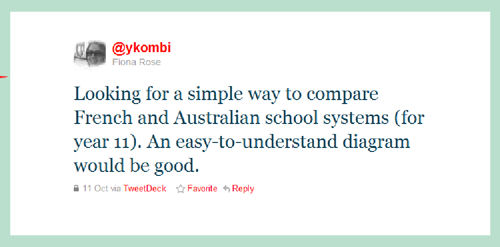
10 days ago or so, while having my breakfast, I was checking my tweets.  The tweets that come in overnight are mostly from the USA on one side of the world and Australia on the other.  One of the Australian MFL Twitterati who I follow, @ykombi, had tweeted:


I had made a table comparing the French and English school systems for a podcast about La Rentrée, and so tweeted back:

Almost immediately I had a reply.


@ykombi sent me her email address via Twitter DM (Direct Message) and I emailed her the file, which she was able to adapt to the Australian system, as it is pretty similar to the English one.

That's just one example of why Twitter is great.  You can ask something, however complex, and someone somewhere will do their best to help you out.  The MFL Twitterati are so generous and supportive.

Then a few days later I read this tweet from the wonderful @wizenedcrone:


Having spoken to @bootleian via Flashmeetings and corresponded via email, I am a big fan, and cheekily asked @wizenedcrone if I could be a temp in her department so that I could attend the CPD day.  And today I did attend the CPD day!  It was not only an opportunity to meet up again with several of the north-east Twitterati, not only a chance to meet the great @bootleian, but also a chance to learn lots of new ideas and to meet and network with new MFL colleagues in the north-east.  All in all a very profitable way to spend my day off.  And another example of why Twitter is great.  You get to find out about events that are happening not only in your area but all over the place.  Even if you can't attend in person you can often attend virtually or catch up with the presentations afterwards via services such as Slideshare or peoples' blogs.

Twitter often gets a negative press, with many people thinking that it's just daft people telling anyone who will listen what they have had for their breakfast.

But for me it's much more than that.  When I worked as a secondary AST, I was expected to at the forefront of MFL teaching, but rarely had the opportunity to find out what that forefront looked like.  In my current role, I need to be at the cutting edge of primary language teaching.  Thanks to my Twitter PLN I find out all I need to know and more.

So that's why I think that Twitter is great.  What about you?